Feeling overwhelmed by your to-do list? Do tasks seem to appear faster than you can complete them? You are not alone. Many people struggle to manage their work. It’s hard to see progress when you’re buried in tasks.
This is the exact problem the Kanban system was designed to solve. It’s a simple yet powerful way to see your work. It helps you understand your process. And it guides you to improve it.
The idea of Kanban isn’t new. It started on the factory floors of Toyota in the 1940s. They needed a way to manage their manufacturing process. The goal was to improve efficiency and reduce waste. This system, part of the Toyota Production System, was so effective that it spread worldwide.
Today, the Kanban method is used far beyond the production line. It’s a key part of lean and agile approaches. It’s used in software development, marketing, HR, and even for personal task management.
In this article, you will learn everything you need to know. We’ll cover what the Kanban system is. We’ll explore its core principles. We’ll show you how to get started with your own Kanban board.
What Is the Kanban System
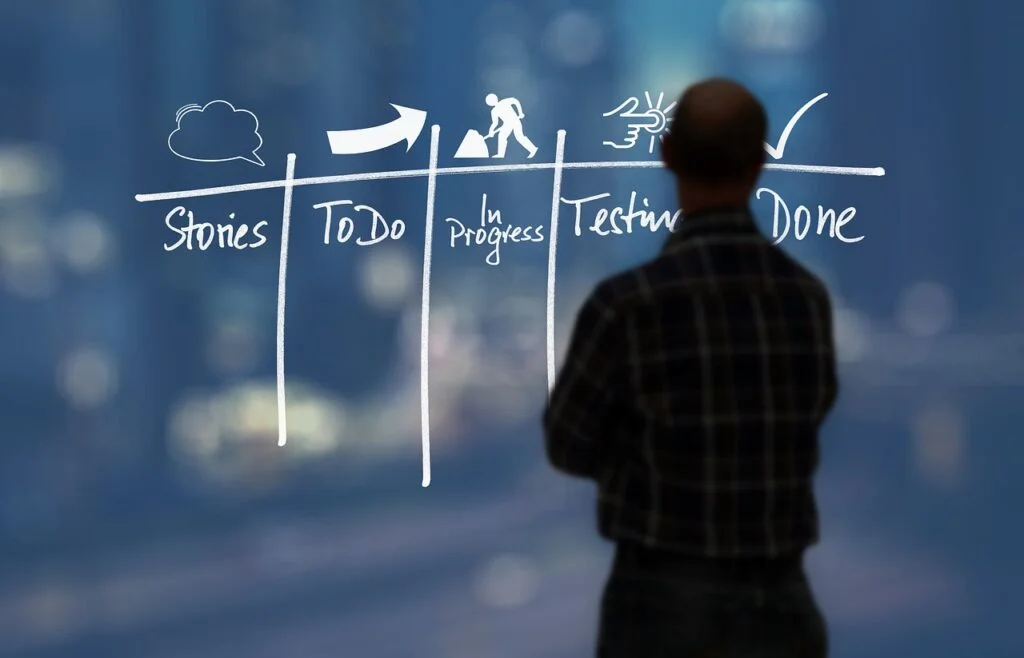
So, what exactly is the kanban system? At its heart, it is a visual management system. It’s designed to help you visualize your work. It also helps you limit the amount of work in progress (WIP). This focus helps you find and fix bottlenecks in your process.
A key concept to understand is that Kanban is a pull system. This is different from a “push” system. In a push system, work is assigned to you whether you’re ready or not. Tasks pile up, creating overwhelm.
In a pull system, you only pull a new work item when you have the capacity. You finish one task before starting another. This creates a smooth, continuous flow of work. The kanban system provides a clear signal when it’s time to pull the next piece of work.
The kanban methodology is all about managing this flow. It doesn’t prescribe specific roles or time-boxed iterations like some other frameworks. Instead, it focuses on making your current process more efficient. It helps you manage work without massive, disruptive changes.
While its roots are in the manufacturing process, the system has evolved. It is now a powerful tool for knowledge work. From software development teams to content creators, anyone can use Kanban to manage their tasks and projects more effectively. The kanban system is a methodology that brings order and efficiency to complex processes.
The Core Kanban Principles
The kanban method is guided by a set of foundational principles. These aren’t strict rules but rather guiding ideas. They help you get the most out of the system. Understanding these kanban principles is key to successful implementation.
Principle One: Visualize the Workflow
The first and most important principle is to visualize what you do. You cannot improve what you cannot see. This is where the kanban board comes in. It creates a visual map of your entire process, from start to finish.
By mapping out each step, you create a shared understanding. Everyone on the team can see where each work item is. They can see where work is flowing smoothly. More importantly, they can see where it’s getting stuck. This principle of visualizing the flow of work is the cornerstone of Kanban.
Principle Two: Limit Work In Progress (WIP)
This might be the most powerful principle. Limiting work in progress (WIP) means you stop starting and start finishing. It sounds simple, but it’s a game-changer. Humans are not good at multitasking. When we juggle too many tasks, quality suffers and nothing gets done quickly.
By setting a limit on the amount of work in progress for each stage of your workflow, you create focus. It encourages the team to complete a piece of work before pulling a new one. This prevents bottlenecks and improves the speed of delivery. Limiting WIP is a core tenet of this workflow management system.
Principle Three: Manage and Measure Flow
Once you can see your work and are limiting WIP, you need to manage the flow. The goal of a kanban system is to create a smooth, predictable flow. You want work to move from “To Do” to “Done” as efficiently as possible.
Managing flow means monitoring key metrics. How long does a task take to complete (lead time)? How many tasks are you completing in a week (throughput)? By measuring these, you can identify problems. You can make data-driven decisions to improve your process. The kanban system helps teams focus on the health of their entire workflow.
Principle Four: Make Process Policies Explicit
How does work move from one column to the next? What makes a task “Done”? These rules should be clear to everyone. Making your process policies explicit ensures consistency.
This could include checklists for each stage. It could define what a “high priority” type of work looks like. When policies are explicit, everyone understands how the system works. It reduces confusion and makes collaboration easier. It’s a key part of creating a robust management system.
Principle Five: Continuously Improve Using Models and the Scientific Method
The kanban method is not a one-time setup. It’s a system for continuous improvement, often called “Kaizen.” Your first process map is just a starting point. The goal is to evolve and refine it over time.
This principle encourages a scientific approach. Form a hypothesis (“If we change X, Y will improve”). Test the change. Measure the results. Keep what works and discard what doesn’t. This mindset ensures your process gets better and better. You should always look for ways to improve continuously.
These five principles of kanban work together. They create a powerful framework for improving how you manage work.
The Main Components: The Kanban Board and Kanban Card

The kanban system is brought to life through two simple components. These are the kanban board and the kanban card. Let’s break down what each one is and how they work together.
The Kanban Board: The Heart of the System
The kanban board is where you visualize your workflow. It can be a physical whiteboard with sticky notes. Or it can be a digital tool using management software. The medium doesn’t matter as much as the function. The board provides a shared view of all work.
Basic Columns: To Do, In Progress, Done
The simplest kanban board has three columns:
- To Do: This column holds all the tasks you plan to work on. It’s your backlog of ideas and future work.
- In Progress: When you start a task, you move its card to this column. This is the work that is actively being carried out.
- Done: Once a task is completed, its card moves here. This column gives you a satisfying look at your accomplishments.
This basic setup is a great starting point for anyone new to the kanban methodology.
Customizing Columns for Your Workflow
The real power of a kanban board is its flexibility. You should customize the columns to match your actual workflow management process. For example, a software development team might have columns like:
- Backlog
- Ready for Dev
- In Development
- In Testing
- Ready for Release
- Done
A content writer might use:
- Ideas
- Drafting
- Editing
- Ready for Publish
- Published
The key is to make the board a true reflection of how your work gets done. Visualizing the flow of work accurately is the goal.
The Kanban Card: Representing a Single Work Item
Each task or work item in your process is represented by a kanban card. A card on the board is a visual token that holds all the important information about that piece of work.
What Information a Kanban Card Holds
A kanban card typically contains several key pieces of information. This helps everyone understand the task at a glance.
- Title: A short, clear description of the task.
- Description: More detailed information about what needs to be done.
- Assignee: Who is responsible for the work?
- Due Date: When the task needs to be completed.
- Type of Work: You can use colors or labels to categorize different types of work items (e.g., bug, feature, research).
- Checklists: Sub-tasks that need to be completed.
How Cards Move Across the Board
The magic happens when cards move. As a task progresses, its kanban card is physically moved from one column to the next. This movement provides an instant, real-time status update.
Everyone on the team can see the progress of every task. They can see where work is flowing and where it’s stuck. This simple act of moving a card is a powerful communication tool. It makes the workflow on a kanban board clear and transparent for all.
The Primary Benefits of Kanban
Why should you use kanban? The answer lies in the powerful benefits it brings to teams and individuals. Implementing a kanban system can transform how you work. Here are some of the primary benefits of kanban.
Increased Visibility and Transparency
The most immediate benefit is a dramatic increase in visibility. The kanban board puts all work out in the open. Everyone can see what tasks are in progress. They can see who is working on what. They can see what’s coming up next.
This transparency eliminates “hidden” work. It reduces the need for constant status update meetings. Everyone is on the same page because the board is the single source of truth. This shared understanding fosters better communication and collaboration. The purpose of kanban is to visualize everything.
Improved Efficiency and Productivity
The kanban system helps teams become more efficient. By limiting work in progress (WIP), you encourage focus. Team members can concentrate on finishing tasks instead of constantly switching contexts. This simple change dramatically reduces the time it takes to complete a piece of work.
Kanban also makes bottlenecks obvious. When cards pile up in one column, you know there’s a problem. The team can then swarm on that problem to resolve it. Over time, this focus on flow smooths out the entire process. This leads to a more predictable and productive workflow.
Greater Flexibility Compared to Other Methodologies
The kanban method is incredibly flexible. Unlike more rigid frameworks, it doesn’t have prescribed roles or fixed-length iterations. This makes it easier to adapt to changing priorities.
If an urgent task comes up, you can add it to the board. You can adjust your workflow as you learn what works best. This adaptability makes Kanban a great choice for teams with unpredictable work, like support or operations teams. Kanban offers a level of agility that many other systems lack.
How the Benefits of Kanban Foster a Culture of Improvement
Perhaps the most profound benefit is the culture it creates. The principles of Kanban are all geared toward continuous improvement. The system encourages teams to take ownership of their process.
Because the workflow is visible, everyone can suggest improvements. Because you measure flow, you can see if your changes are working. Kanban encourages data-driven conversations about the process, not about people. This focus on the system itself creates a safe environment for experimentation and learning. The benefits of the kanban extend beyond simple task management to true process evolution.
How to Use Kanban and Get Started in 5 Simple Steps
Ready to give it a try? Implementing a kanban system is easier than you might think. You don’t need to change everything at once. The best approach is to start with what you do now. Here’s how to get started with using the kanban in five simple steps.
Step One: Map Your Current Workflow
The first step is to understand and visualize your current process. Don’t try to invent a perfect workflow. Just map out the actual steps your work goes through right now.
Get your team together. Ask a simple question: “What happens to a work item from the moment we start it until it’s finished?” Write down each distinct stage. These stages will become the columns on your kanban board.
Step Two: Set Up Your First Kanban Board
Now it’s time to create your board. You have two main options:
- Physical Board: This is a great way to start. All you need is a whiteboard, some tape to make columns, and sticky notes for your kanban cards. Physical boards are highly visible and encourage in-person collaboration.
- Digital Board: If your team is remote or you want to track metrics automatically, an electronic kanban tool is a better choice. There are many great management software options available. You can even find a free kanban board to experiment with.
Create columns on your board that match the workflow steps you mapped out in step one.
Step Three: Create Kanban Cards for Your Tasks
Next, take all your current tasks and put them on kanban cards. Each card should represent one piece of work. Fill out the essential information for each card: a clear title, a brief description, and who is assigned to it.
Place each card in the column that represents its current status. If you haven’t started a task yet, it goes in the “To Do” or “Backlog” column. If it’s already in progress, put it in the appropriate “In Progress” column.
Step Four: Set Your Work In Progress (WIP) Limits
This is a crucial step. Decide on the maximum number of cards allowed in each “In Progress” column at any one time. This is your WIP limit.
When you’re just starting, it’s okay to guess. A good rule of thumb is to set the WIP limit for a column to be about 1.5 times the number of people working in that stage. For example, if two developers are working, you might set the “In Development” WIP limit to 3. The goal is to set a limit that feels a bit tight. This will quickly reveal any bottlenecks.
Step Five: Start Using the Kanban and Manage the Flow
Now, you’re ready to go! Start working as you normally would, but follow the rules of your new Kanban system.
- Move cards across the board as work progresses.
- Respect the WIP limits. Don’t pull a new card into a column if it’s already at its limit. Instead, help your teammates finish work that’s already in progress.
- Hold regular, brief team meetings (often called “stand-ups”) around the board. Discuss the work and any blockers.
The key is to start simple. Your first implementation of the Kanban method won’t be perfect. But by starting, you’ve created a system you can continuously improve.
Kanban vs Scrum: A Common Agile Comparison
When people explore agile methodologies, the Scrum vs Kanban debate often comes up. Both are popular frameworks, especially in agile software development teams. It’s important to understand that they are not enemies. They are just different approaches to managing work.
Understanding That Both Are Agile Methodologies
First, let’s be clear: both Scrum and Kanban are part of the lean and agile family. They share common goals. They both aim to deliver value to the customer more effectively. They both emphasize transparency, collaboration, and continuous improvement.
However, they achieve these goals in different ways. The kanban system isn’t a direct competitor to Scrum; it’s an alternative with a different philosophy.
Key Differences: Scrum Is Iterative, Kanban Is Flow-Based
The biggest difference lies in their approach to work cadence.
- Scrum is iterative. Work is done in fixed-length cycles called “Sprints,” usually lasting 2-4 weeks. The team commits to a set amount of work for each Sprint.
- Kanban is flow-based. There are no Sprints. Work is pulled into the system continuously as capacity becomes available. The focus is on the smooth flow of individual work items.
Here is a table summarizing the key differences:
| Feature | Scrum | Kanban |
|---|---|---|
| Cadence | Fixed-length Sprints (e.g., 2 weeks) | Continuous flow |
| Roles | Prescribed roles: Product Owner, Scrum Master, Development Team | No prescribed roles |
| Metrics | Velocity (work per Sprint) | Lead Time, Cycle Time, Throughput |
| Change | Changes are discouraged during a Sprint | Changes can be made at any time |
| Release | At the end of a Sprint | Whenever a work item is ready |
Scrum and Kanban: Can They Work Together?
Yes, absolutely! Many teams find a hybrid approach works best. This is often called “Scrumban.”
A team might use Scrum’s roles and events (like Sprints and retrospectives). But they might use a kanban board with WIP limits to manage their work within the Sprint. This allows them to get the benefits of a pull system while still having the structure of Scrum. Kanban and Scrum can be complementary.
Choosing the Right Methodology for Your Team
So, which should you choose?
- Choose Scrum if: Your team thrives on structure and deadlines. You work on products that can be broken down into clear, iterative releases. You want the dedicated roles to provide focus.
- Choose Kanban if: Your work is more unpredictable, with priorities that can change quickly (e.g., support teams, operations). You want to start with your existing process and improve it gradually. You value flexibility over rigid structure.
Ultimately, the best system is the one that works for your team and your context. Don’t be afraid to experiment.
Taking Your Kanban Method Further
Once you’ve mastered the basics, there are many ways to enhance your kanban process. The journey to continuously improve never ends. Here are a few ways to take your kanban method to the next level.
Using an Electronic Kanban System for Remote Teams and Metrics
While a physical board is great for co-located teams, an electronic kanban system offers powerful advantages, especially for remote or distributed teams.
Advantages of Management Software
- Accessibility: Anyone can access the board from anywhere, at any time. This is essential for remote collaboration.
- Automatic Metrics: Digital tools automatically track key metrics like lead time, cycle time, and throughput. This data is invaluable for identifying trends and making improvements.
- Integrations: Management software can integrate with other tools you use, like code repositories or communication apps, to create a seamless workflow.
- History: Every change to a kanban card is tracked. This provides a complete audit trail of the work.
You can start with a free kanban board offered by many software providers to see if a digital tool is right for you.
How to Use Kanban Across Different Departments and Industries
The power of Kanban extends far beyond agile software development. Its principles are universal. You can use kanban across almost any department or industry that deals with a flow of work.
Beyond Software Development
- Marketing: Manage content creation, from idea to publication. Track campaigns, from planning to launch and analysis.
- HR: Visualize the hiring process, from job posting to offer letter. Manage employee onboarding tasks.
- Sales: Track leads as they move through the sales funnel, from initial contact to a closed deal.
- Logistics: In industries that work with inventory, Kanban is still used in its original context. For example, a warehouse management system (WMS) might use Kanban signals. When a production line needs more raw materials, a card is sent. The WMS issues work orders to the production team to replenish the stock. This is a classic example of a production kanban system ensuring a smooth supply of goods.
The Concept of Portfolio Kanban for High-Level Strategy
Kanban isn’t just for managing small tasks. Portfolio Kanban is a way to apply Kanban principles at a strategic level.
Instead of individual tasks, the kanban cards on a portfolio board represent large initiatives or projects. The columns represent high-level stages of a strategy, like “Funnel,” “Analysis,” “Implementation,” and “Done.”
This provides executives and leadership with a clear visual overview of the entire organization’s strategic initiatives. It helps them make better decisions about what to prioritize and where to allocate resources. It’s a powerful way to manage the flow of value at the highest level.
Conclusion
We have covered a lot of ground. Let’s recap the key takeaways. The kanban system is a visual management method. It helps you see your work, limit your work in progress, and focus on flow.
The core of the system is the kanban board and kanban card. Together, they create a transparent, real-time picture of your entire workflow. This visibility is the first step toward improvement.
Getting started is simple. Map your current workflow, set up a board, create cards, set WIP limits, and begin. Don’t aim for perfection on day one. The idea of kanban is to start where you are and evolve. So, take that first step. Create your first board today and begin your journey toward a more organized, productive, and less stressful way of working.